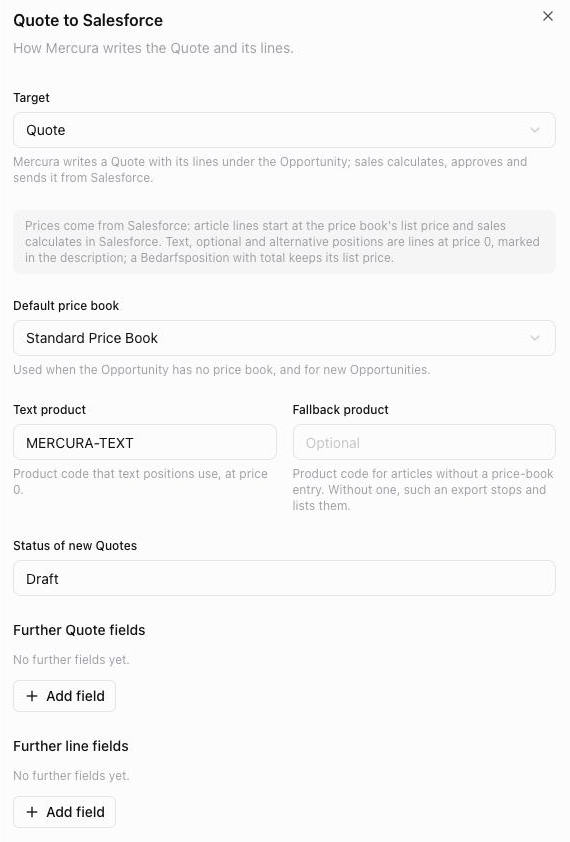
- Quote to Salesforce
When a user exports the request in Mercura, Mercura writes the result under the request's Opportunity, with one line per position. As the target you choose:
- Quote: Mercura creates a Quote with its lines. Sales prices, approves and sends it from Salesforce.
- Opportunity products: for orgs without Quotes. The lines become the Opportunity's products and make up its amount.
The Mercura article number equals the Product Code in Salesforce. Prices come from the Opportunity's price book or, if it has none, from the configured default price book. Text positions become lines with the text product at price 0; optional and alternative positions are marked in the description. If an article has no price-book entry, Mercura uses the fallback product; without one, the export stops and lists the missing articles. A new export updates the same Quote: Mercura's lines are updated, new ones are added, and lines added by sales stay. With further fields you fill additional Quote, line or Opportunity fields, for example with the request number, the project name or a fixed value.
If the source object has no Opportunity, for example a Case, Mercura attaches the offer PDF to the record instead.